
Highway Traffic — Play Free Online
More Driving games



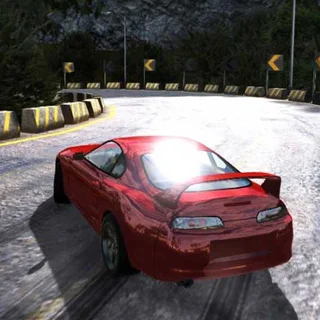





What is Highway Traffic?
Highway Traffic is a fast-paced browser driving game where you steer a vehicle along a crowded multi-lane highway. The goal is simple: navigate through dense traffic at high speeds, dodge commuter vehicles, and rack up points by executing daring near misses without colliding with other cars. It runs directly in your web browser with no download or setup required.
Key features
- High-speed obstacle avoidance: Weave between slower vehicles and sudden lane changes under heavy traffic conditions.
- Near-miss scoring: Earn bonus points whenever you overtake vehicles with minimal clearance at high velocity.
- Responsive handling: Quick acceleration and sharp steering give you direct control through tight gaps.
- Instant restarts: Quick resets let you jump straight back into the action after any collision to beat your best score.
- Cross-platform support: Play smoothly using keyboard controls on a computer or responsive touch pedals on mobile screens.
How to play
- Launch the game in your browser window to start your run on the open highway.
- Accelerate forward and observe the flow of vehicles ahead of you in every lane.
- Steer smoothly across lanes to bypass slower cars, trucks, and sudden braking hazards.
- Pass close to neighboring cars without making contact to collect valuable near-miss points.
- Use your brakes or handbrake when a lane becomes completely blocked to wait for an opening.
- Survive as long as possible without crashing to establish a new distance and point record.
Controls
| Action | Keyboard / mouse | Touch |
|---|---|---|
| Steer left / right | Left / Right Arrow or A / D | Tap left or right screen area |
| Accelerate | Up Arrow or W | Right pedal button |
| Brake / Reverse | Down Arrow or S | Left pedal button |
| Handbrake | Space | Emergency brake icon |
Speed management and near misses
Success in Highway Traffic relies on balancing pure speed against situational awareness. Driving at maximum throttle increases your baseline score multiplier and makes passing cars worth substantially more points. However, high speeds reduce your reaction window when cars change lanes without warning. Skilful drivers maintain high velocity on straight stretches but tap the brakes to create safe passing angles when approaching dense vehicle clusters.
Tips and strategy
- Look several cars ahead: Keep your eyes focused down the road rather than on your own bumper so you can spot emerging gaps early.
- Avoid lingering between two vehicles: Straddling lanes leaves you with zero escape routes if either neighboring car shifts position.
- Use the handbrake sparingly: The regular brake slows you predictably, whereas hard emergency braking can disrupt your steering momentum.
- Anticipate lane changes: Watch for subtle movements from civilian cars before committing to a high-speed overtake.
- Favor open lanes over risky overtakes: If a clear path exists on the shoulder or outer lane, take it instead of threading narrow gaps unnecessarily.
Versions and similar games
Highway Traffic offers straightforward arcade driving that pairs well with other quick-reaction titles on Retro Bowl College. If you want a change of pace from roadway dodging, try sports reflex games like Touchdown Rush, tactical football in Retro Bowl College, or evasion running in Linebacker Alley 2.
Questions about Highway Traffic
How do you score points in Highway Traffic?
You earn points by covering distance on the highway and gain extra bonus multipliers by overtaking other vehicles closely at high speed without hitting them.
What controls are used to play Highway Traffic?
Use the Arrow keys or WASD to steer, accelerate, and brake on desktop keyboards. On touch devices, use the on-screen pedal buttons at the bottom corners.
Do you need to download Highway Traffic to play?
No, Highway Traffic is an HTML5 browser game that runs directly in any modern desktop or mobile web browser without extra downloads or installations.
More games
 American Football Real
 2 Minute Football Classic
 Linebacker Alley 2
 Touchdown Rush
 Axis Football League
 Football Blitz
 Basket Random
 Basketball Legends
 Football Legends
 Basketball Legends 2020
 Basket Champs
 Basketball Superstars
 Rugby Rush
 Bowling Stars
 Animals Volleyball
 Power Badminton
 A Small World Cup 2
 12 MiniBattles
 Ping Pong Go
 Slope Tunnel
 Tunnel Rush
 Doodle Jump
 Flappy Bird
 OvO 2
OvO 2 Stickman Hook
 Level Devil
 Monkey Mart