
Cars: Lightning Speed — Play Free Online
More Driving games


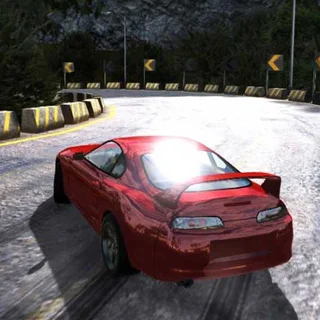





Cars: Lightning Speed is an arcade racing game developed under the Disney Cars franchise where players steer Lightning McQueen across high-speed international and dirt circuits. The core loop revolves around maintaining speed through tight turns, collecting on-track boosts, and timing drift maneuvers to outrun rival cars. You can play directly in your web browser with no download or setup required.
Key features
- Responsive steering: Tight handling allows quick adjustments when navigating sharp chicanes and avoiding collisions.
- Drift mechanics: Tapping the handbrake allows your vehicle to slide through hairpin corners without losing excessive momentum.
- Boost pickups: Running over track power-ups provides bursts of acceleration to overtake opponents on straightaways.
- Cross-device controls: Supports full keyboard controls on desktop computers and on-screen pedals for touchscreen devices.
- Instant restarts: Quick race transitions let you immediately replay tracks to improve lap times and race positions.
How to play
- Launch the game in your browser window and select your race track.
- Accelerate using the forward arrow key or W key as the starting countdown completes.
- Steer along the racing line to avoid track edges and maintain top speed.
- Engage the handbrake using Space when approaching sharp corners to initiate controlled slides.
- Cross the finish line before rival racers to secure victory and advance your standing.
Controls
| Action | Keyboard | Touch |
|---|---|---|
| Steer and Accelerate | Arrow keys or WASD | On-screen corner pedals |
| Handbrake / Drift | Space | Dedicated touch button |
Cornering and speed management
Success in Cars: Lightning Speed depends on momentum management. Hugging the inside apex of every corner cuts down overall travel distance, while controlled braking prevents your car from skidding into barriers. Because speed loss from wall collisions is punitive, backing off the throttle slightly before a sharp turn is often faster than sliding wide into the dirt.
Tips and strategy
- Protect your racing line: Stay near the middle or inside edge of turns to block overtaking maneuvers from trailing opponents.
- Time your handbrake taps: Apply short bursts of the handbrake rather than holding it down continuously to avoid spinning out.
- Target track boosts: Align your vehicle early on straight sections to roll directly through speed pads.
- Recover quickly after contact: Counter-steer immediately if bumped by rival racers to prevent losing your heading.
Versions and similar games
While Retro Bowl College primarily highlights strategic sports simulations like Retro Bowl and 4th and Goal 2026, Cars: Lightning Speed offers an arcade-style driving alternative. Players looking for reflex-driven action can switch between gridiron plays and circuit racing in the same browser session.
Developer and history
Cars: Lightning Speed was developed by Disney as part of the official digital game lineup for the Pixar Cars universe. The browser edition uses lightweight HTML5 technology to deliver quick-loading racing across desktop and mobile browsers.
Questions about Cars: Lightning Speed
What are the keyboard controls for Cars: Lightning Speed?
Use the Arrow keys or WASD to steer and accelerate, and press the Space key to use the handbrake for drifting through tight turns.
Can I play Cars: Lightning Speed on mobile devices?
Yes, Cars: Lightning Speed runs in mobile web browsers with on-screen pedal controls positioned at the bottom corners of the display.
Is Cars: Lightning Speed free to play without installation?
Yes, the full game runs directly inside any standard HTML5 browser without requiring software downloads, installs, or user registration.
Who developed Cars: Lightning Speed?
Cars: Lightning Speed was created by Disney based on characters and settings from the Pixar Cars animated franchise.
More games
 Rhino Rush Stampede
 Ovo Dimensions
 Super Tunnel Rush
 Retro Bowl
 4th and Goal 2026
 4th and Goal 2024
 American Football Real
 2 Minute Football Classic
 Linebacker Alley 2
 Touchdown Rush
 Axis Football League
 Football Blitz
 Basket Random
 Basketball Legends
 Football Legends
 Basketball Legends 2020
 Basket Champs
 Basketball Superstars
 Rugby Rush
 Bowling Stars
 Animals Volleyball
 Power Badminton
 A Small World Cup 2
 12 MiniBattles
 Ping Pong Go
 Slope Tunnel
 Tunnel Rush