
Throwing, Running and Kicking in Retro Bowl College with a Mouse or Trackpad
Published · 2 min read
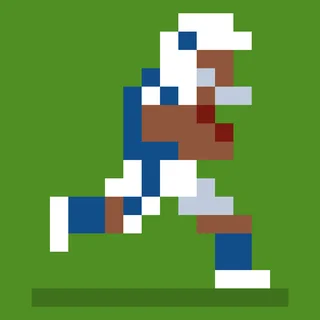
Retro Bowl College was designed for a thumb. The browser build on this site maps the same moves onto a mouse, and once you know how the drag turns into a throw the game is easier with a mouse than on a phone. This is what each move does.
Passing
At the snap your receivers run their routes. Click anywhere and drag away from the receiver you want — pulling back and to the left throws forward and to the right. The length of the drag sets the distance, the angle sets the direction, and the ball is released when you let go. There is no button for a target; you aim at the space the receiver is running into, not at the receiver himself. Leading a receiver by a step or two is what turns a five-yard gain into thirty.
While you are holding the drag, a right-click switches the throw type. The default is a bullet: low, fast, and easy to intercept if a linebacker is in the lane. The lob goes high and comes down late, which is the throw for a receiver who has beaten his man deep. Switch before you release; the type is fixed once the ball is in the air.
Running
A blue circle appears at the snap. Click it and the quarterback hands off to the running back. From there the game steers him, and you press W to side-step up the screen or S to side-step down. Time the side-step just before a tackler arrives, not when he is already in contact. To run with the quarterback instead, drag backwards as if throwing behind him: he tucks the ball and scrambles. Once he is running, a short drag forward makes him dive, which is worth it at the sideline or on third and one.
Kicking
Field goals, extra points and kick-offs are two clicks. A power bar fills and empties; the first click stops it, and full power is not always right — on a short field goal a three-quarter kick is more accurate. Then a direction arrow sweeps left and right; the second click stops it, and you want it centered. On a trackpad, tap rather than press: a click that registers late by a frame is the difference between the upright and the crossbar. If your kicker keeps missing, check his rating before blaming your timing — a one-star kicker's arrow moves faster.
Two things the tutorial skips
- Click inside the game once before the first play so the page hands it keyboard focus; otherwise W and S go to the browser.
- The Fullscreen button under the player enlarges the field without changing the drag distance, so your throwing muscle memory carries over.
More from the blog
- Retro Bowl College Recruiting: How the Scholarship Fund, Admissions and GPA Fit Together
The three college systems that replace the pro game's cap and draft, and the order to spend in during your first two seasons.